Managing Provisions
In OneForm, Provisions represent fully-deployed Clusters or infrastructure stacks. Each Provision is associated with a specific cloud or on-premises Provider and contains OpenNebula resources such as Hosts, datastores, and Virtual Networks.
Here you will find details on how to:
- Scale existing Provisions by adding or removing hosts
- Manage public IP assignments
- Recover failed Provisions
- Cancel active Provision operations
- Deprovision a Cluster
Scaling Provisions
Select the tab for your preferred interface to view the procedure to scale Provisions:
In the Sunstone interface, go to Infrastructure -> Clusters and select the Cluster you want to scale. Open the Host tab:
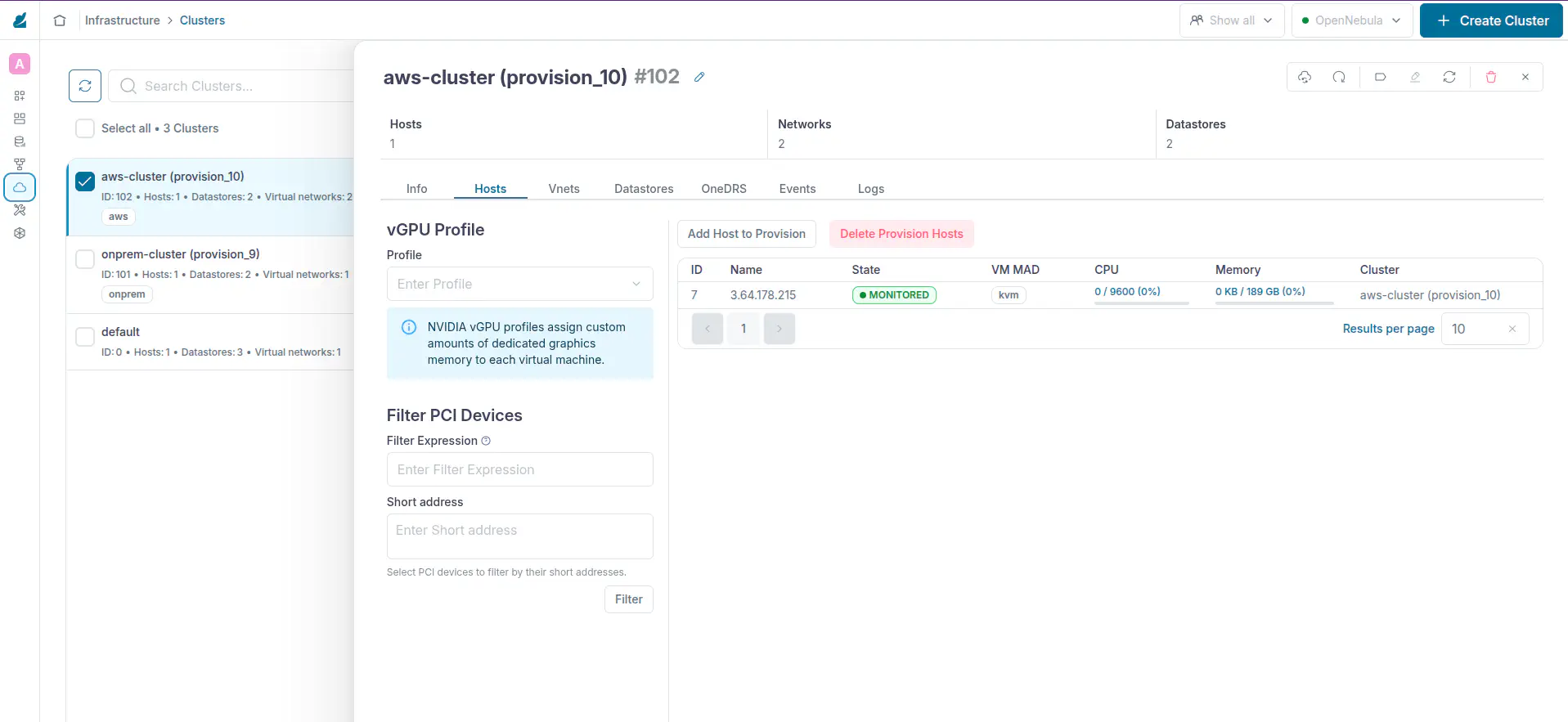
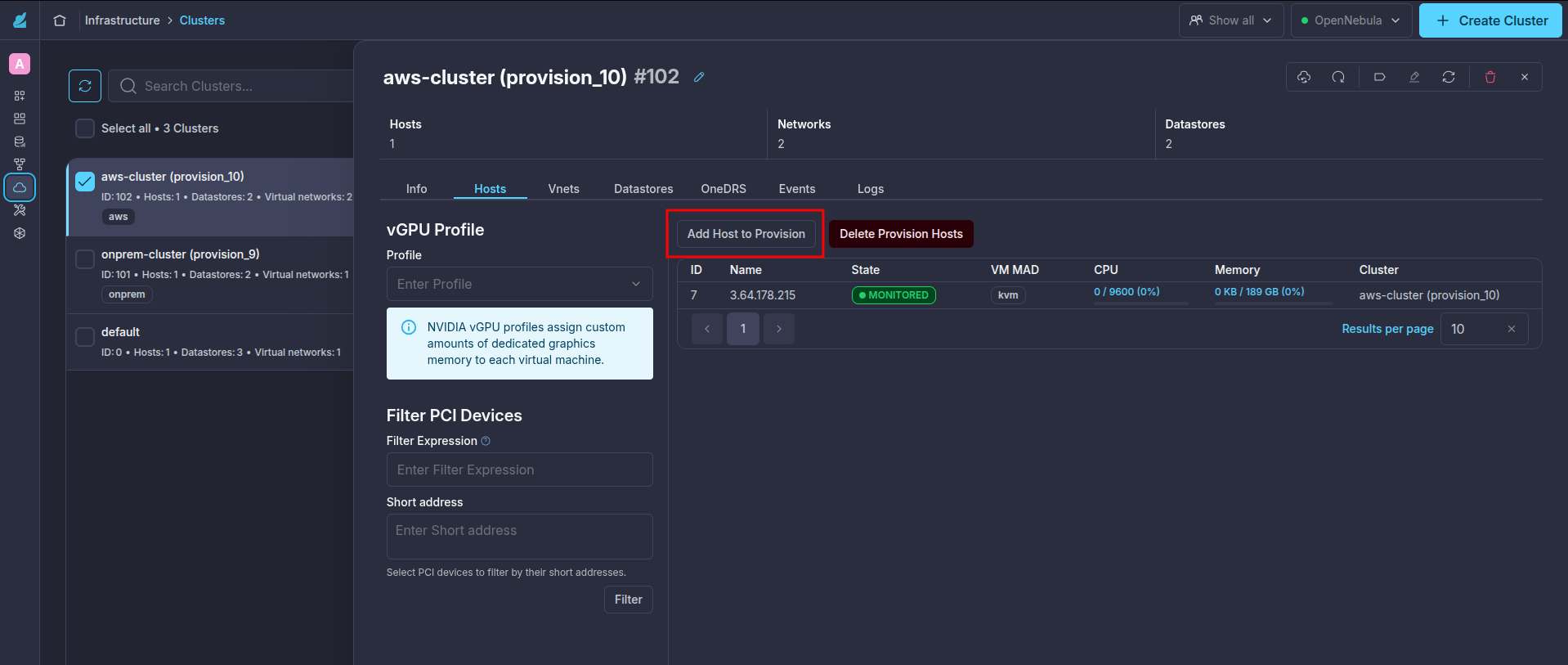
To increase the number of hosts in a running Provision, use oneprovision add-host. Alternatively, execute oneprovision del-host command to decrease hosts. These operations trigger an update of the infrastructure through Terraform and Ansible.
When adding Hosts, use either --amount for cloud Hosts or --hosts for on-premises Host addresses. These options are mutually exclusive. When removing Hosts, specify their OpenNebula IDs with --host-ids:
Add Hosts:
oneprovision add-host <provision_id> --amount <number_of_hosts>Example:
oneprovision add-host 42 --amount 2Remove Hosts:
oneprovision del-host <provision_id> --host-ids <id1,id2,...>Example:
oneprovision del-host 42 --host-ids 105,106
Use the following example requests, replacing the appropriate parameters for your Provision:
- Add Hosts
curl -X POST "https://oneform.example.server/api/v1/provisions/<id>/hosts" \
  -u "username:password" \
  -H "Content-Type: application/json" \
  -d '{
    "amount": 2
  }'
- Remove Hosts
curl -X DELETE "https://oneform.example.server/api/v1/provisions/<id>/hosts?ids=105,106" \
  -u "username:password"
For further details about the API, see the OneForm API Reference.
Managing Public IPs
Select the tab for your preferred interface to view the procedure to manage public IPs:
In the Sunstone interface, go to Infrastructure -> Clusters and select the Cluster you want to scale. Open the VNet tab and click Add public IPs:
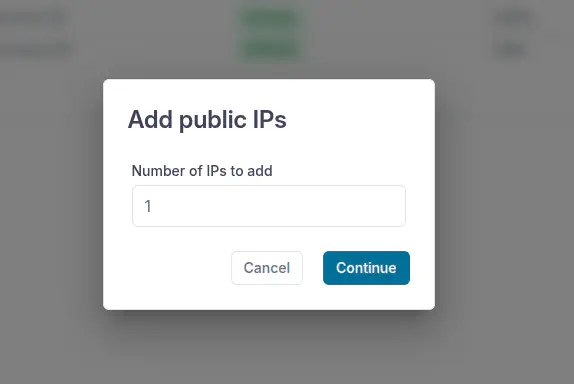
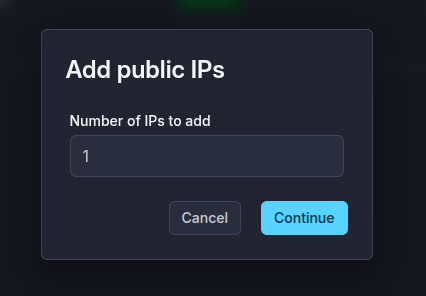
For Provisions that support public networking like AWS and i3Dnet, dynamically manage Elastic IPs through the following commands:
Add Public IPs
oneprovision add-ip <provision_id> --amount <number_of_ips>Example:
oneprovision add-ip 42 --amount 1Remove a Public IP by Address Range (AR ID)
oneprovision del-ip <provision_id> --ar-id <ar_id>Example:
oneprovision del-ip 42 --ar-id 7
To view current IP allocations, run oneprovision show <id> and inspect the associated public network address ranges (ARs).
Use the following example requests, replacing the appropriate parameters for your Provision:
- Add Public IPs
curl -X POST "https://oneform.example.server/api/v1/provisions/<id>/public-network/ips" \
  -u "username:password" \
  -H "Content-Type: application/json" \
  -d '{
    "amount": 3
  }'
- Remove a Public IP
curl -X DELETE "https://oneform.example.server/api/v1/provisions/<id>/public-network/ips/42" \
  -u "username:password"
For further details about the API, see the [OneForm API Reference](/7.4/product/integration_references/system_interfaces/oneform_api/).
Recovering Failed Provisions
OneForm persists lifecycle operations and Terraform state. After a service restart, it automatically reconstructs unfinished operations and resumes their processing. Operations already in a failure state remain available for explicit recovery.
After correcting the cause of a failure, recover the Provision to retry its recorded operation. Recovery requires a failure state and a recorded operation; it can apply to provisioning, scaling, or deprovisioning.
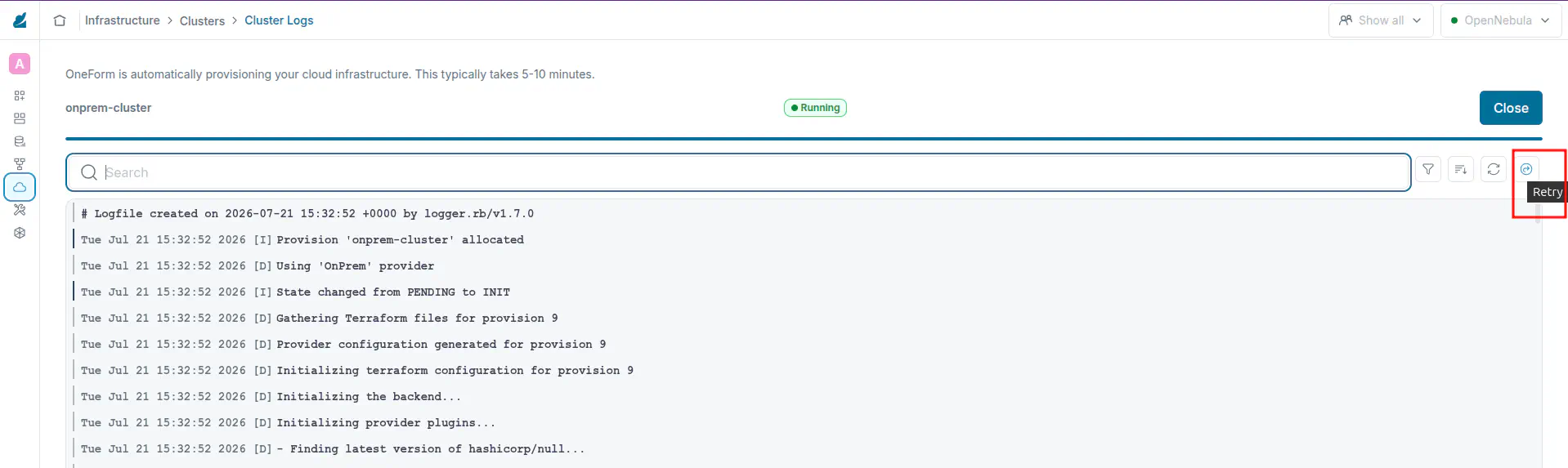
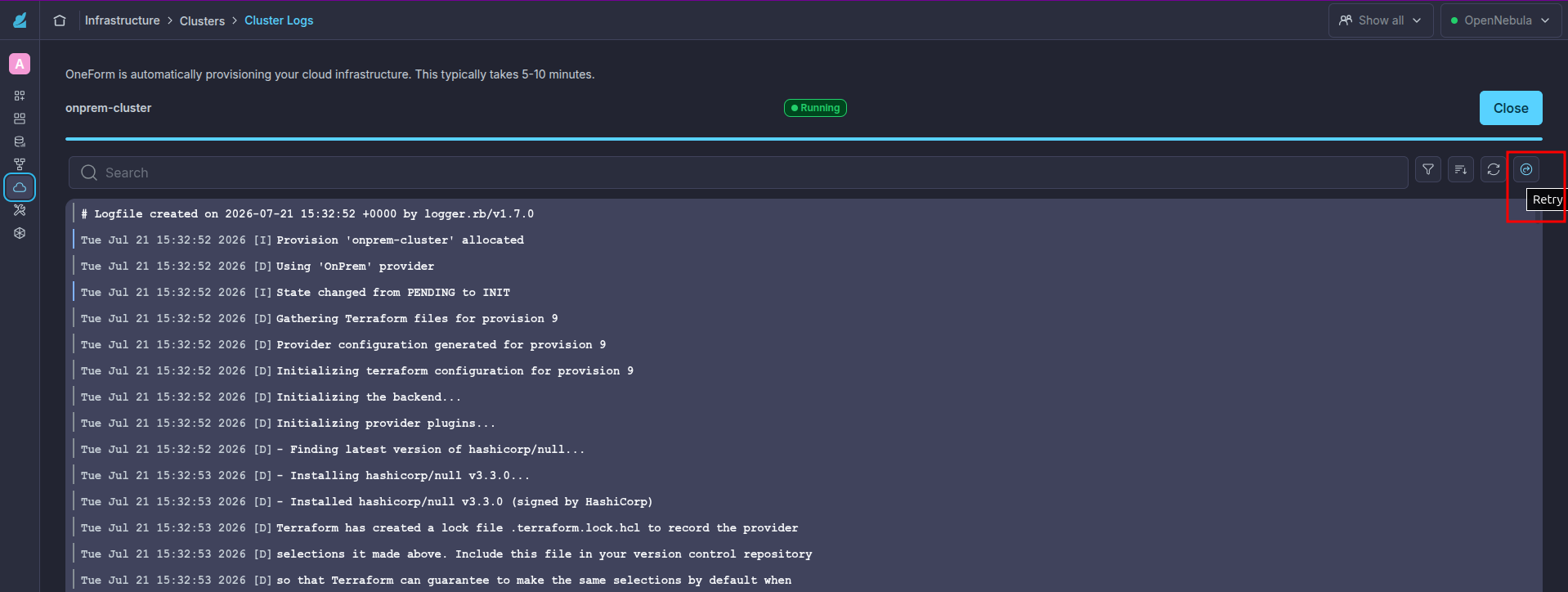
In the Cluster Logs view, if a Cluster installation fails. Click the Retry icon in the top right hand corner of the page:
Recover a failed Provision:
oneprovision recover <provision_id>
To retry a failed operation with its force flag enabled, use:
oneprovision recover <provision_id> --force
The --force option overrides resource protections used by the failed operation. Recovery still requires a failure state and a recorded operation.
Use the following example request, replacing the appropriate parameters for your Provision:
curl -X POST "https://oneform.example.server/api/v1/provisions/<id>/recover" \
  -u "username:password" \
  -H "Content-Type: application/json" \
  -d '{}'
For further details about the API, see the OneForm API Reference.
Cancelling Provision Operations
The user who started an operation, or a member of the oneadmin group, can request cancellation of its active step. Cancellation is asynchronous and is available only for steps that support it. Once cancellation completes, the Provision enters the corresponding failure state. Inspect its state and resources before recovering it or deprovisioning it.
Request cancellation of the active operation:
oneprovision cancel <provision_id>
Inspect the Provision state with oneprovision show <provision_id> and follow its logs with oneprovision logs <provision_id> --follow. Members of the oneadmin group can also monitor the active job and its cancellation status:
oneprovision job <provision_id> --watch
curl -X POST "https://oneform.example.server/api/v1/provisions/<id>/cancel" \
  -u "username:password" \
  -H "Content-Type: application/json" \
  -d '{}'
A 202 Accepted response confirms that the request was accepted for processing. Check the Provision state and logs for the outcome.
Deprovisioning a Cluster
Deprovisioning a Cluster triggers the following actions:
- Terraform destroy
- Ansible cleanup tasks
- OpenNebula object removal
Select the tab for your preferred interface to view the procedure to deprovision a Cluster:
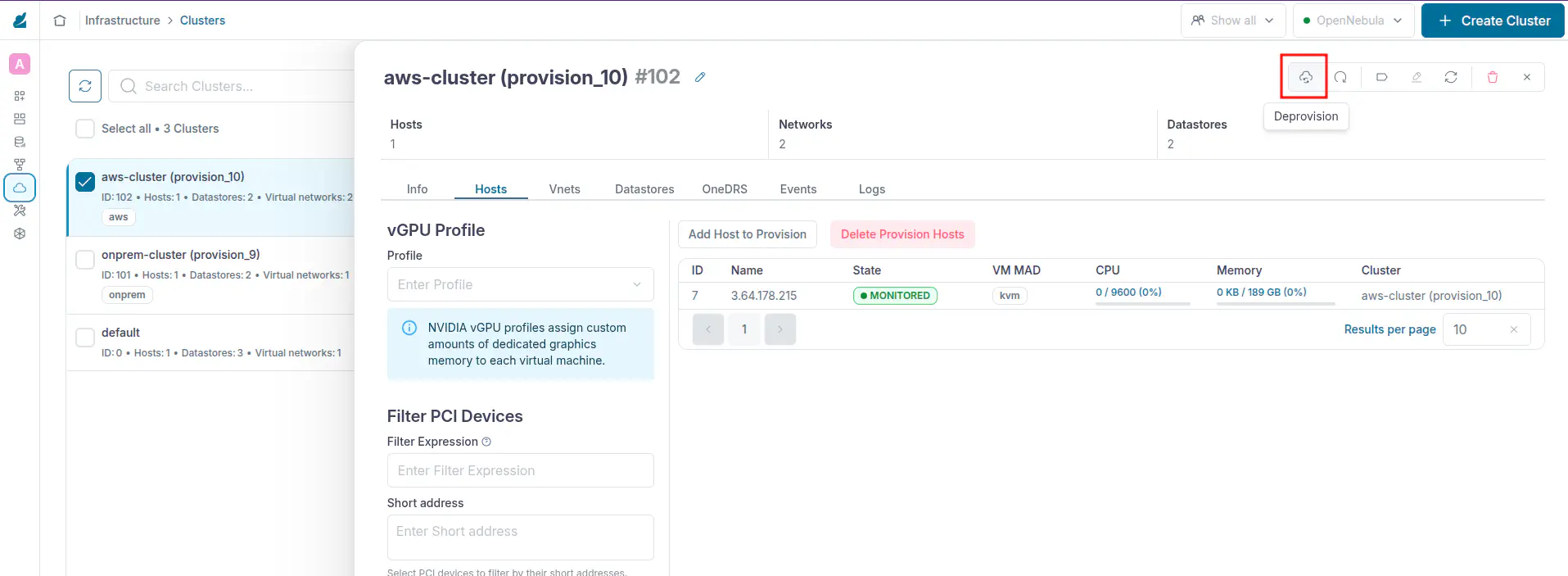
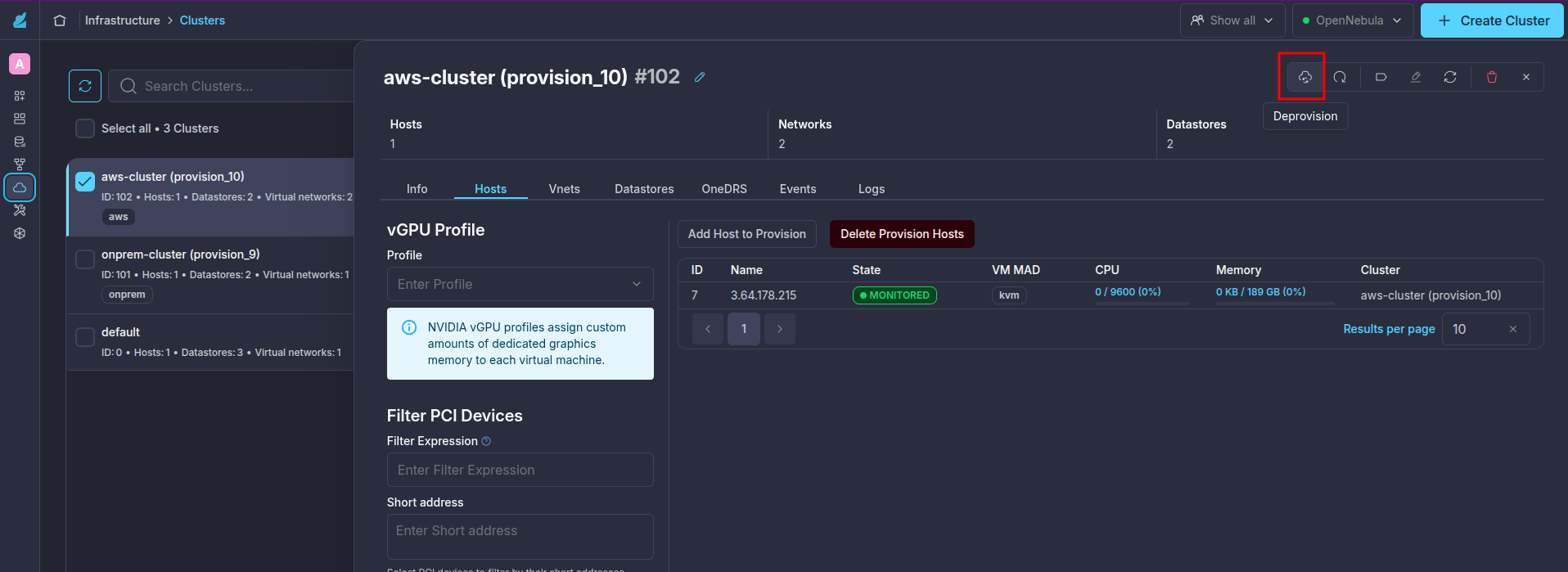
In the Sunstone interface, go to Infrastructure -> Clusters and select the Cluster you want to deprovision. Click Deprovision and then Accept:
To undeploy all the infrastructure associated with a Provision, as well as remove its corresponding OpenNebula resources, run:
oneprovision delete <provision_id>
curl -X DELETE "https://oneform.example.server/api/v1/provisions/<id>" \
  -u "username:password"
For further details about the API, see the OneForm API Reference.
GIVE FEEDBACK
Was this resource helpful?
Glad to hear it
Sorry to hear that