Network Interfaces with PCI Passthrough
This guide describes how to use PCI network devices as OpenNebula network interfaces.
OpenNebula extends the generic PCI passthrough mechanism by integrating PCI network devices with the Virtual Network subsystem. This allows virtual machines to benefit from the performance of direct device assignment while preserving the OpenNebula networking workflow, including IP address management, MAC address allocation, scheduling, and contextualization.
General host preparation, including IOMMU, VFIO, Huge Pages, SR-IOV configuration, and PCI monitoring, is described in the Host Configuration guide.
Overview
OpenNebula supports assigning both Physical Functions (PFs) and Single Root I/O Virtualization (SR-IOV) Virtual Functions (VFs) as network interfaces.
Unlike generic PCI devices, network interfaces can be fully integrated with OpenNebula Virtual Networks. During deployment, OpenNebula:
- Selects a PCI device matching the requested constraints.
- Allocates networking resources from the selected Virtual Network.
- Assigns MAC and IP addresses.
- Configures VLAN parameters when required.
- Contextualizes the guest operating system.
This provides the performance benefits of PCI passthrough while preserving the operational model of OpenNebula networking.
Physical Functions and Virtual Functions
Modern network adapters commonly implement Single Root I/O Virtualization (SR-IOV), allowing a single Physical Function (PF) to expose multiple lightweight Virtual Functions (VFs):
- Physical Functions (PF): A Physical Function represents the complete PCI device. Assigning a PF gives a virtual machine exclusive access to the network adapter and all of its capabilities.
- Virtual Functions (VF): A Virtual Function is an independent PCI function created by the Physical Function. Each VF can be assigned independently to a virtual machine while sharing the underlying hardware resources.
Virtual Functions are typically used for cloud and NFV deployments because they provide excellent performance while allowing multiple virtual machines to share the same physical adapter.
eSwitch modes
OpenNebula supports Legacy and Switchdev operating modes on the PF eSwitch. In each mode, the PF is configured according to the following parameters
MAC: Administrative MAC address assigned to the VF.MTU: Requested MTU, applied according to the eSwitch mode as described below.TRUST: Allows the VF within the Guest to operate in promiscuous mode.SPOOFCHK: MAC spoofing filter for the administrative MAC. Separate from the virtual switching spoofing.
Legacy Mode
In Legacy mode, VLAN filtering can only be done with access vlans using the VLAN_ID parameter.
OpenNebula raises the PF MTU when required and does not lower it for smaller requests. Whether the PF MTU limits its VFs depends on the hardware and PF driver. OpenNebula does not configure separate per-VM MTU caps in Legacy mode.
Switchdev mode
In Switchdev mode, VF parameters are controlled by Host-side representor interfaces. These representor interfaces are attached to a virtual switch to establish port-level control. Control parameters are managed by the virtual switch driver associated with the Virtual Network. OpenNebula automatically configures the representor interface during deployment. Only Open vSwitch is supported for Switchdev mode. The following parameters are supported
VLAN_IDVLAN_TAGGED_IDCVLANSQINQ_TYPE
OpenNebula also sets the VF representor MTU to the requested VM NIC MTU. This value can be raised or lowered independently while retaining the higher PF MTU. Its effect on VF traffic depends on the NIC, driver, and offload behavior.
Note that TRUST and SPOOFCHK might fail depending on the kernel driver controlling the PF, even if setting them to the state they are currently already at. If the attribute is unsupported (refer to the SmartNIC documentation) then it should be ommited from the Virtual Network configuration, otherwise the whole configuration fails.
Host Configuration
If the PCI device supports Single Root I/O Virtualization (SR-IOV), Virtual Functions (VFs) can be created and assigned independently to virtual machines. Determine the maximum number of supported Virtual Functions:
cat /sys/bus/pci/devices/<PCI_ADDRESS>/sriov_totalvfs
Enable the desired number of Virtual Functions:
echo 8 > /sys/bus/pci/devices/<PCI_ADDRESS>/sriov_numvfs
Verification
Verify that the Virtual Functions have been created:
lspci
or
ip link
depending on the device type.
Additional SR-IOV configuration for network adapters is described in the Network Interfaces guide.
Using PCI Devices as Network Interfaces
Sunstone
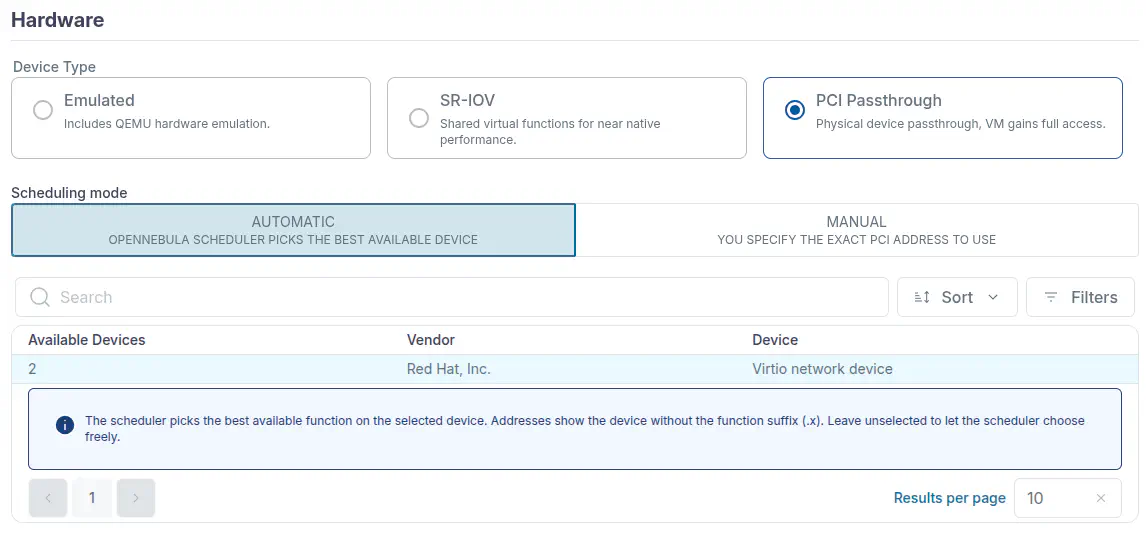
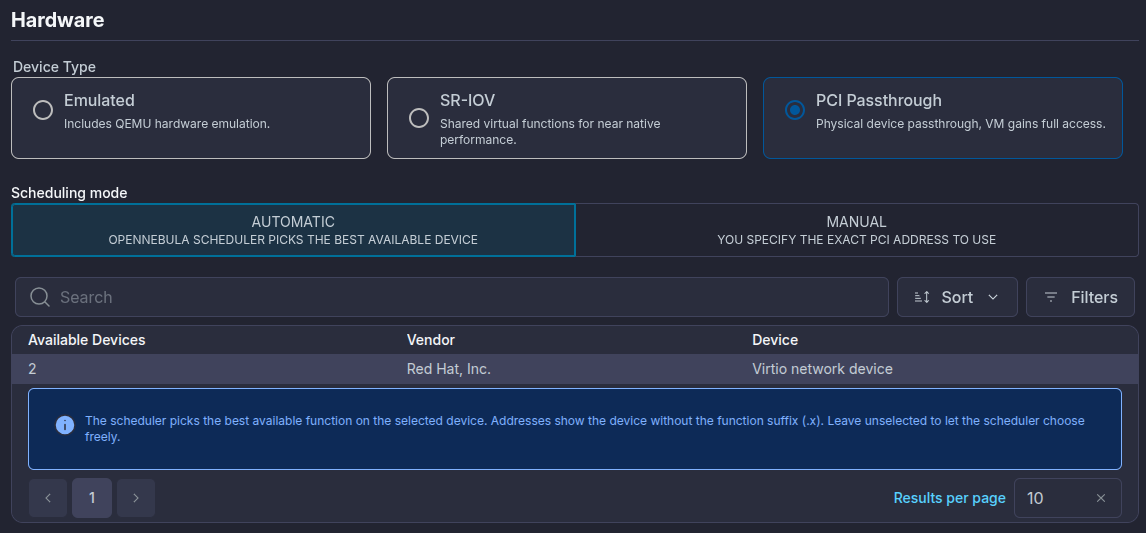
When creating or editing a Virtual Machine Template, open Advanced options and select the Network tab. Under Hardware, select PCI Passthrough as the device type. Then select one of the following scheduling modes:
- Automatic: the scheduler selects an available PCI network function matching the configured constraints.
- Manual: you select the exact PCI address to assign.
Select the Virtual Network and configure the remaining interface attributes as required.
Virtual Machine Template
To use a PCI device as a network interface, set the TYPE attribute of the PCI element to NIC. Example:
PCI = [
  TYPE = "NIC",
  NETWORK = "SRIOV-NET"
]
Unlike generic PCI passthrough, a PCI device configured as a network interface becomes part of the OpenNebula networking subsystem.
During deployment, OpenNebula:
- Selects a compatible PCI device.
- Allocates networking resources from the specified Virtual Network.
- Configures the PCI device.
- Generates the corresponding NIC context information.
- Contextualizes the guest operating system.
As a result, the guest receives a fully configured network interface without additional manual configuration.
Selecting PCI Devices
PCI devices may be selected explicitly or automatically.
Automatic Selection
Automatic selection is the recommended approach. Instead of specifying a PCI address, define the required device characteristics.
Example:
PCI = [
  TYPE = "NIC",
  NETWORK = "SRIOV-NET",

  CLASS = "0200",
  VENDOR = "15b3"
]
The scheduler automatically selects an available PCI device satisfying the specified constraints. Automatic selection improves workload portability across hosts.
Explicit Device Selection
Specific devices may also be selected using their PCI address.
Example:
PCI = [
  TYPE = "NIC",
  NETWORK = "SRIOV-NET",
  SHORT_ADDRESS = "81:00.4"
]
SHORT_ADDRESS selects the physical PCI function, while NETWORK selects the OpenNebula Virtual Network that provides its network configuration and leases. Explicit device selection should generally be reserved for deployments that require a particular physical interface because of its PCI topology, interconnection, or NUMA locality.
Virtual Network Integration
Unlike generic PCI passthrough, PCI network interfaces participate fully in OpenNebula Virtual Networks. The selected Virtual Network provides:
- MAC address allocation
- IPv4 allocation
- IPv6 allocation
- VLAN configuration
- Security Groups
- Address management
This allows PCI passthrough interfaces to behave consistently with virtual network interfaces from the administrator’s perspective.
Contextualization
When the Context package is installed inside the guest operating system, OpenNebula automatically configures the assigned PCI interface. The guest receives:
- MAC address
- IPv4 address
- IPv6 address
- Network mask
- Gateway
- DNS configuration
- Hostname
No manual network configuration is required inside the guest.
Supported PCI Attributes
PCI network interfaces support the standard PCI attributes together with networking-specific attributes.
Common PCI attributes include:
DEVICECLASSVENDORSHORT_ADDRESSTYPE
Network-specific attributes include:
NETWORKNETWORK_UNAMEMACIPIP6VLAN_IDTRUSTSPOOFCHK
Refer to the Virtual Machine Template reference for a complete description of each attribute.
Guest Verification
After deployment, verify that the guest detects the assigned network adapter.
Display the PCI devices:
lspci
Display the network interfaces:
ip link
The interface should appear as a native PCI network adapter and be configured automatically through contextualization.
Best Practices
- Prefer automatic PCI device selection whenever possible.
- Use Virtual Functions instead of Physical Functions for cloud deployments.
- Reserve Physical Functions for workloads requiring exclusive device ownership.
- Configure PCI monitoring to expose only passthrough devices.
- Install the OpenNebula Context package in guest operating systems.
- Use NUMA-aware placement for latency-sensitive workloads.
- Prefer Switchdev mode when integrating with Open vSwitch.
Next Steps
If you have not yet configured the host for PCI passthrough, complete the Host Configuration Guide. For NVIDIA GPUs, continue with the NVIDIA GPU Guide.
GIVE FEEDBACK
Was this resource helpful?
Glad to hear it
Sorry to hear that