On-premises Provider
The on-premises Provider defines how OneForm interacts with existing on-premises infrastructure. Unlike cloud-based Providers, it does not require credentials to connect to external platforms. Instead, it manages already deployed physical or Virtual Machines using IP addresses provided at instantiation time.
An on-premises Provider is ideal for environments where you want to integrate OneForm with infrastructure you already control — such as bare-metal servers, KVM Hosts, or Virtual Machines in your private data center.
Default On-premises Provider
OneForm installs an on-premises Provider by default. This existing on-premises Provider can be used to provision clusters on your on-premises resources.
You can find the default on-premises Provider in the Sunstone interface in the Infrastructure -> Providers page:
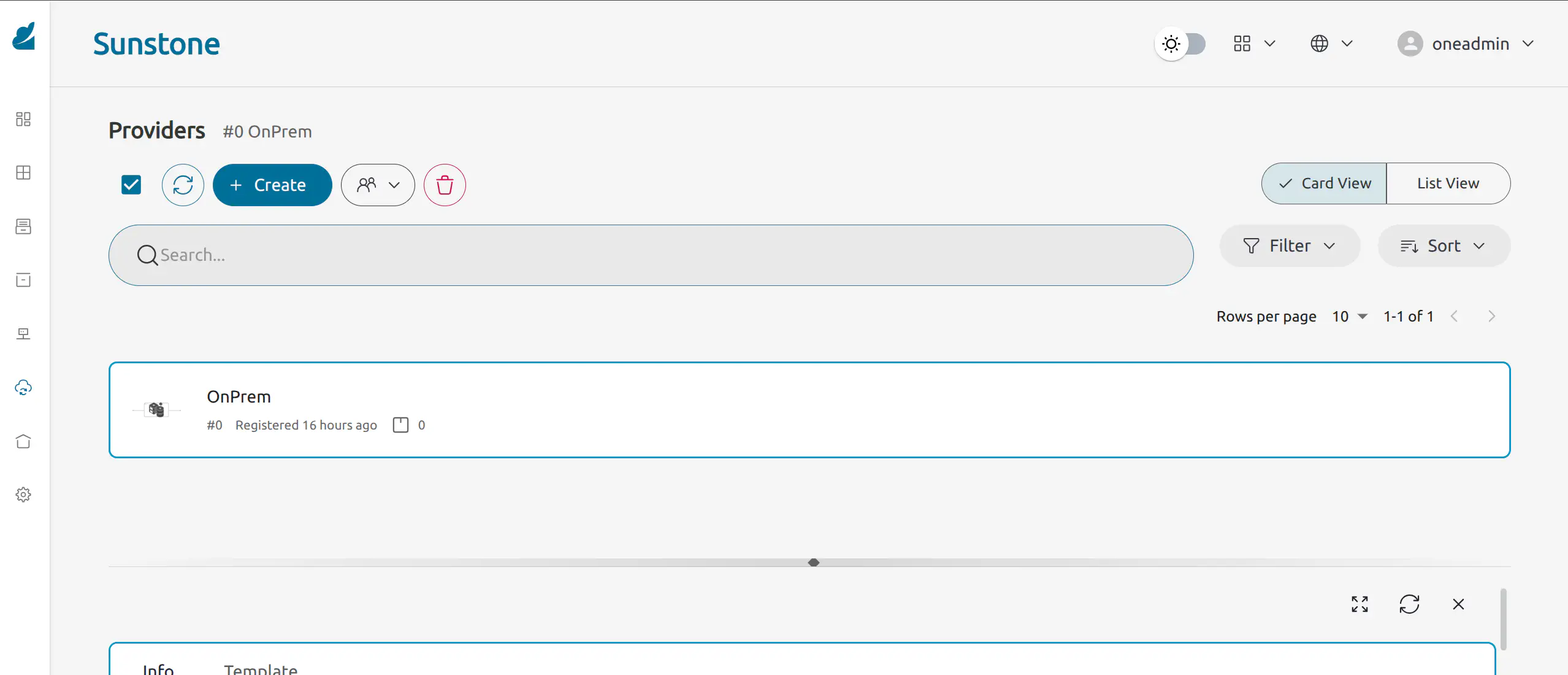
You can see the existing Provider using the oneprovider CLI tool:
oneprovider list
ID USER     GROUP    NAME    ...         REGTIME
0 oneadmin oneadmin OnPrem   ...   03/09 17:33:27
You can inspect the default Provider with:
oneprovider show 0
PROVIDER 0 INFORMATION
ID                  : 0
NAME                : OnPrem
DESCRIPTION         : On-Premise Cluster
USER                : oneadmin
GROUP               : oneadmin
DRIVER              : onprem
VERSION             : 1.0.0
REGISTRATION TIME   : 03/09 17:33:27

PERMISSIONS
OWNER               : um-
GROUP               : ---
OTHER               : ---

CONNECTION VALUES

ASSOCIATED PROVISIONS
IDS:                : --
To inspect the details of the default on-premise Provider using the OneForm API, use the following example request, replacing the appropriate parameters:
curl -X GET "https://oneform.example.server/api/v1/providers" -H "Accept: application/json" -u "username:password"
{
"name": "OnPrem",
"description": "On-Premise Cluster",
"driver": "onprem",
"version": "1.0.0",
"fireedge": {
  "logo": "/fireedge/client/assets/images/providers/onprem.png",
  "color": "6172F3",
  "operations": {
    "add-host": "ips",
    "del-host": "ids"
  },
  "layout": {
    "provider": [
      "oneform_onprem_hosts"
    ],
    "network": [
      "phydev_name",
      "network_address",
      "network_mask",
      "gateway",
      "dns",
      "ip",
      "size"
    ],
    "storage": [
      "nfs_server",
      "nfs_export",
      "nfs_mount_path"
    ]
  }
}
For further details about the API, see the OneForm API Reference.
GIVE FEEDBACK
Was this resource helpful?
Glad to hear it
Sorry to hear that